Let the platform do the follow-up.
The Automation module is a workflow-driven engine that responds to subscriber and campaign activity in real time. Build multi-step sequences, set delays, and trigger actions based on events. It runs while you sleep.
Manual follow-up is broken follow-up.
Leads go cold while you sleep
Inconsistent timing kills conversion
Human error drops subscribers from sequences
Scaling requires scaling headcount
Event-driven automation, deconstructed.
A workflow-driven automation engine that responds to subscriber and campaign activity. Build lifecycle journeys that run without manual intervention.
Trigger-Based
Fire workflows on list joins, tag additions, or custom external events.
Multi-Step
Chain emails, delays, and logic into sophisticated customer journeys.
Delay & Timing
Control the exact pace of your sequence with minute-level delay precision.
Conditional Logic
Split paths based on opens, clicks, or subscriber metadata for relevance.
Event Response
React instantly to campaign activity and external webhook payloads.
Lifecycle Support
Map full subscriber lifecycles from onboarding to win-back automatically.
See the work, flowing.
HOVER NODES TO HIGHLIGHT CONNECTIONS
Four states. One engine.
DRAG OR USE ARROWS TO NAVIGATE
Five ways to start the flow.
Joins List
Joins List
Trigger when a subscriber joins a specific list, like your newsletter or a product update form.
Open/Click
Open/Click
Fire when a subscriber opens or clicks a specific link in any campaign you send.
Tag Added
Tag Added
Trigger when a subscriber receives a specific tag, like “VIP” or “Abandoned Cart”.
Time Delay
Time Delay
Trigger based on a specific date, or a delay relative to when they entered the workflow.
Custom Event
Custom Event
Fire from external data via incoming webhooks, connecting your store or CRM directly.
Five steps to autonomy.
Define Trigger
Set the exact event that starts the workflow journey.
Build Steps
Add emails, push notifications, or custom actions to the flow.
Add Delays
Control timing with delays and conditional branch logic.
Activate
Turn the workflow on. It will run relentlessly from here on out.
Monitor
Track performance and optimize steps based on real data.
Manual work vs. Machine work.
Manual Follow-Up
More Manual Work
Automated Sequence
Hours Saved Per Week
Hours Saved Per Week
Built for every journey.
Welcome Sequence
Introduce new subscribers to your brand with a timed, multi-step email sequence. Triggered the moment they join your list, delivering high-value content while your brand is top of mind.
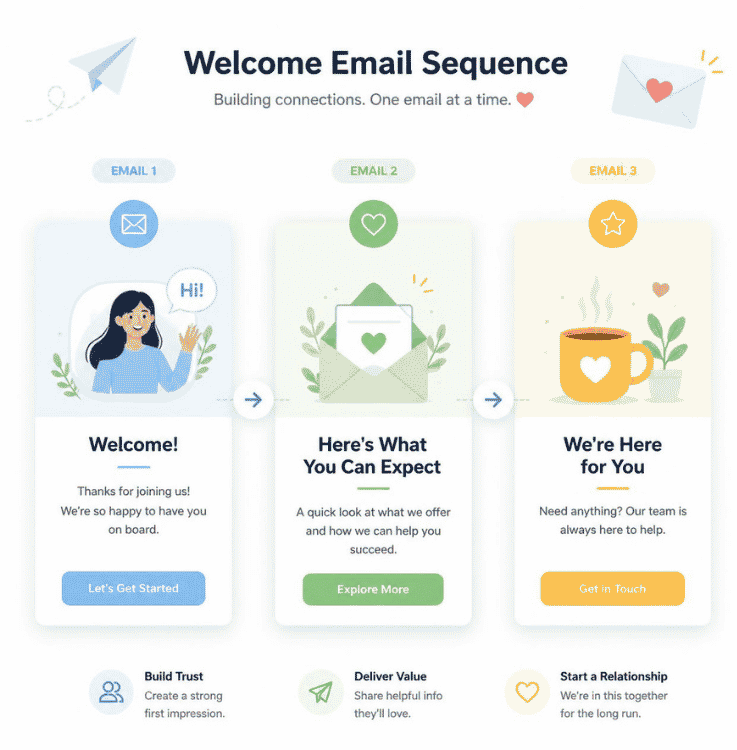
Abandoned-Action Re-Engagement
Trigger an email or push notification sequence when a subscriber abandons a cart or fails to complete a form. Recover lost revenue automatically with precisely timed follow-ups.
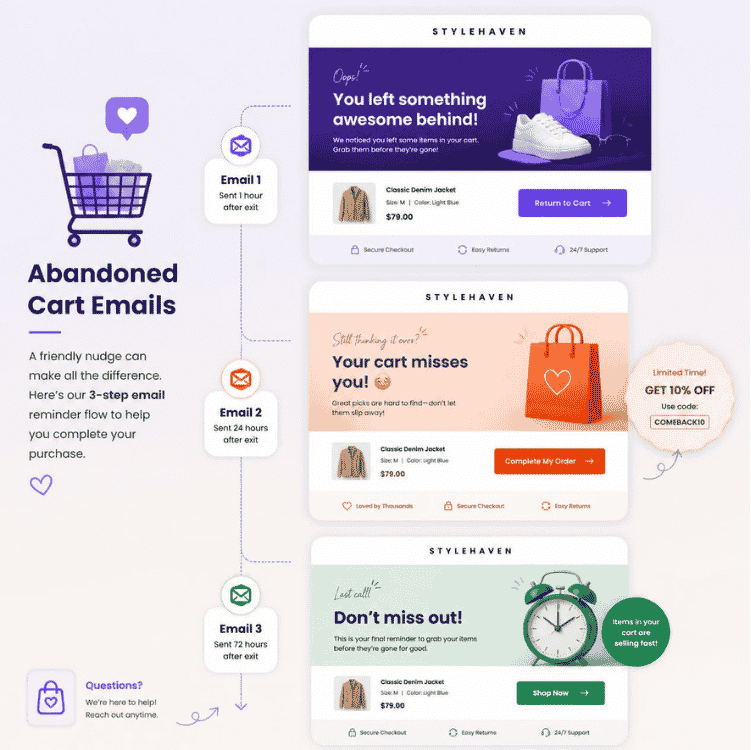
Post-Purchase Nurture
Keep customers engaged after they buy. Send educational content, cross-sell relevant products, and build loyalty with conditional logic based on their purchase history.
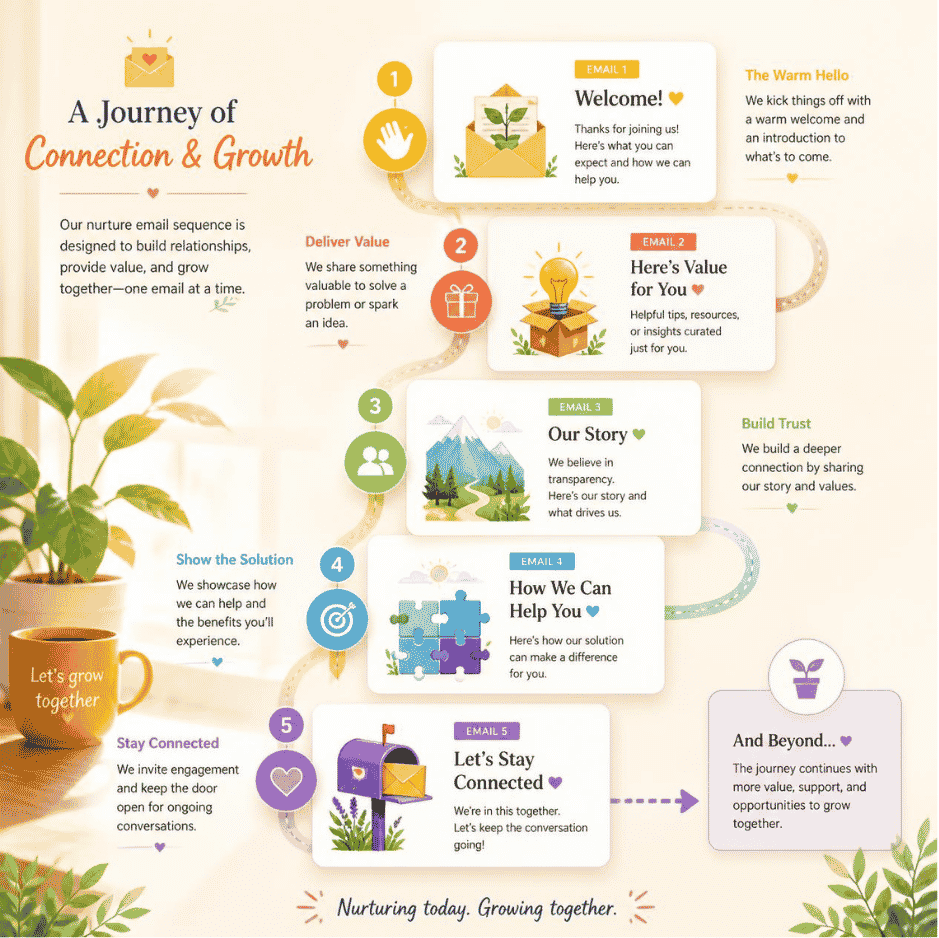
Win-Back Campaign
Identify subscribers who haven’t opened an email in 60 days and trigger a re-engagement workflow. Use special offers and strong calls to action to bring them back.
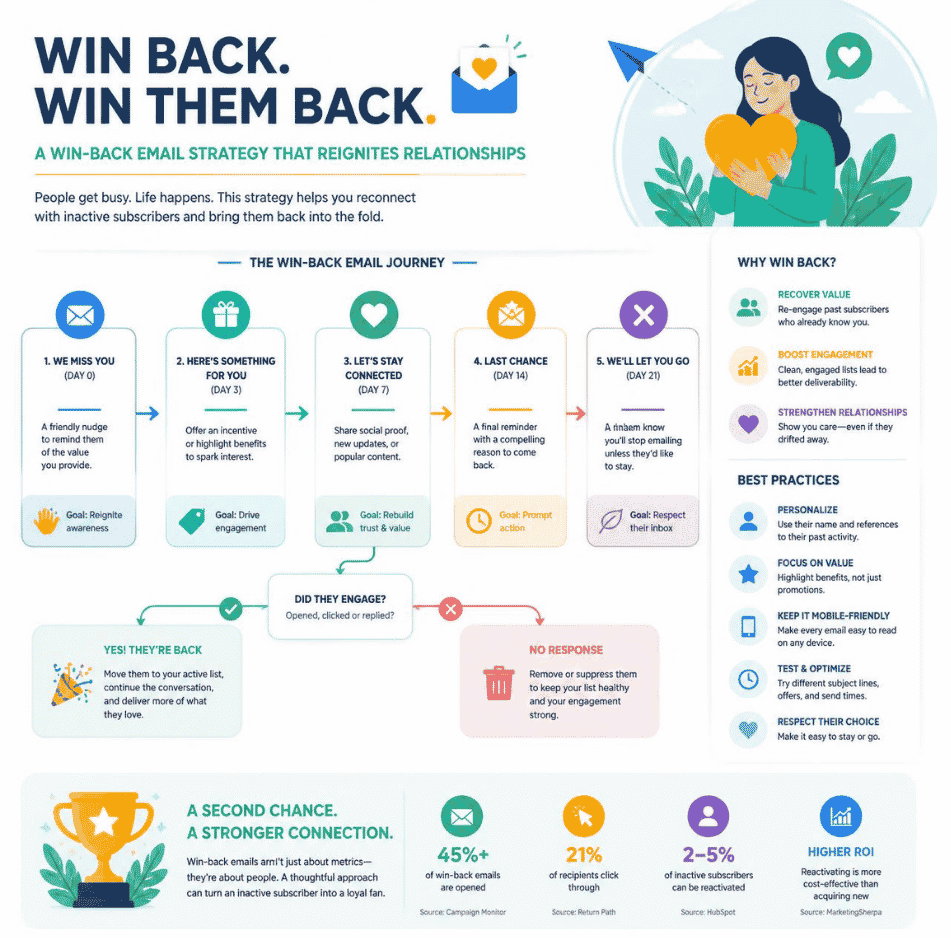
Sophisticated journeys, simply built.
Yes/No Branching
Split your workflow path based on subscriber behavior. Did they click the link? Route them down the buyer path. Did they ignore it? Route them to a follow-up nudge.
Time Windowing
Restrict actions to specific days or hours. Ensure your automated emails only land during business hours, respecting your audience’s local timezone.
Goal Tracking
Define a conversion goal for your workflow. The moment a subscriber hits that goal, they are automatically pulled from the sequence, preventing irrelevant sends.
Automations scale as you scale.
The complexity of your marketing engine should grow with your business, not your headcount. Build sophisticated journeys that handle millions of events without breaking a sweat.
One engine. Flexible licensing.
- ✓1 Site License included
- ✓1 year of updates and support
- ✓All Automation module features included
- ✓Priority support access
- ✓Free access to future module updates
- ✓5 Site Licenses included
- ✓1 year of updates and support
- ✓All Automation module features included
- ✓Priority support access
- ✓Free access to future module updates
- ✓15 Site Licenses included
- ✓1 year of updates and support
- ✓All Automation module features included
- ✓Priority support access
- ✓Free access to future module updates
- ✓50 Site Licenses included
- ✓1 year of updates and support
- ✓All Automation module features included
- ✓Priority support access
- ✓Free access to future module updates