Have you ever wondered how WordPress manages to display exactly the right post when you click a link? How does it know that when you visit yoursite.com/category/recipes, it should show you only the posts filed under “Recipes” and not your personal diary entries from 2015?
It feels like magic, but under the hood, it is a conversation. A very fast, organized conversation between your browser and a massive storage cabinet known as the database.
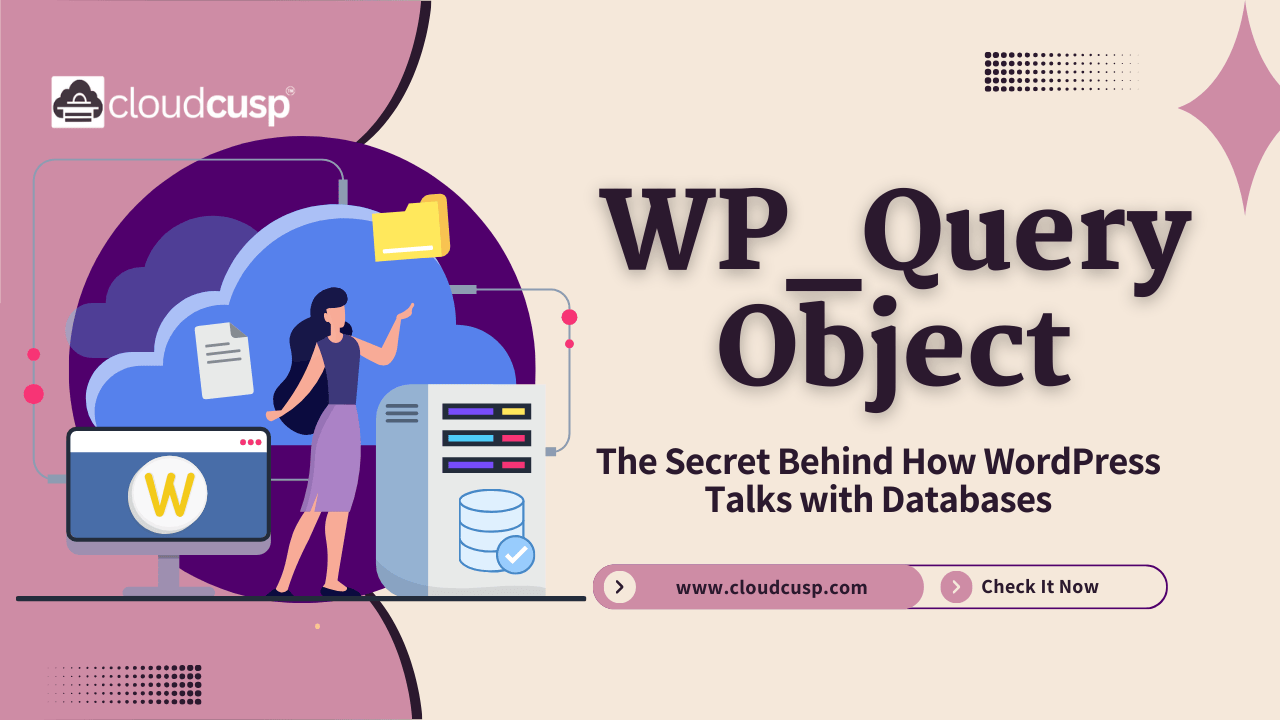
At the center of this conversation is the WP_Query object.
If you have been using WordPress for a while, you might have heard the term thrown around in developer forums or tutorials. It sounds technical, and frankly, a bit intimidating. But understanding WP_Query is the single most important step in moving from a casual WordPress user to a confident developer.
In this article, we are going to peel back the layers. We will explain how WordPress interacts with the database, how WP_Query acts as the gatekeeper, and how you can manipulate it to do your bidding. No computer science degree required.
Table of Contents
The Basics: The Waiter and the Kitchen
Before we dive into code, let’s get a mental image of what is happening.
Imagine you are sitting at a restaurant (your browser). You want something specific to eat (content). You don’t walk into the kitchen yourself to rummage through the fridge; that would be chaotic and dangerous. Instead, you tell a waiter what you want.
In the world of WordPress:
- You are the user (or the browser).
- The Kitchen is the Database (where all your posts, pages, and settings are stored).
- The Waiter is the WP_Query object.
When you ask for a specific page, the waiter (WP_Query) takes your order, writes it down in a specific language (SQL), runs to the kitchen, grabs the exact ingredients you asked for, and brings them back to your table on a plate (the web page).
If you didn’t have this waiter, you would have to write complex code every single time you wanted to show a post. WP_Query saves us from that headache by handling the heavy lifting.
The Database Structure: A Quick Look
To understand the query, we need to briefly understand what it is querying.
WordPress primarily uses a database system called MySQL (or MariaDB). Think of this database as a collection of Excel spreadsheets, but much faster and more connected. These spreadsheets are called tables.
The most important table for our discussion is the wp_posts table. This is where all your content lives. It doesn’t matter if it is a blog post, a page, a revision, or an attachment—it all lives in this table.
Here is a simplified view of what that table looks like:
| ID | post_title | post_content | post_status | post_type |
|---|---|---|---|---|
| 1 | Hello World! | Welcome to WordPress… | publish | post |
| 2 | About Us | This is our company… | publish | page |
| 3 | Secret Draft | This is not ready yet. | draft | post |
| 4 | My Holiday | Had a great time! | publish | post |
When you run a WP_Query, you are essentially asking the database to filter through this table based on your criteria. You might say, “Give me everything that is a post and is published.” The Query looks at the table, finds rows 1 and 4, and brings them back to you.
What Exactly is the WP_Query Object?
In technical terms, WP_Query is a class defined in the WordPress core files (wp-includes/class-wp-query.php).
In common terms, it is a powerhouse of a tool that handles the complexity of fetching content. It does three main things:
- It Parses the Request: It figures out what the user is asking for. Are they on the homepage? A category page? A single post?
- It Builds the SQL: It translates the request into a database language (SQL). It constructs a string like
SELECT * FROM wp_posts WHERE... - It Returns an Object: It brings the data back and organizes it into a neat package that we can loop through.
The “Main Query” vs. “Custom Queries”
This is where many people get confused, so let’s clear it up.
The Main Query
When you load a WordPress URL, the system automatically creates a global variable called $wp_query. This is the Main Query. It looks at the URL, determines what page you are on, and fetches the content for that specific page.
- If you visit your blog index, the Main Query fetches your latest posts.
- If you visit a specific Category archive, the Main Query fetches posts only from that category.
Custom Queries
Sometimes, the Main Query isn’t enough. Maybe you want a “Related Posts” section at the bottom of your article, or a slider showing your “Featured” posts in the sidebar. The Main Query didn’t ask for those—it only asked for the main article.
To get that extra content, we create a Custom Query. We write our own instance of WP_Query to fetch specific content independent of the main page content.
How the Interaction Works: The Lifecycle
Let’s walk through the lifecycle of how WP_Query interacts with the database when a user visits your site.
1. The URL Request
A user types yoursite.com/blog into their browser. WordPress receives this request.
2. The Rewrite Rules
WordPress has a system called the Rewrite Rules. It translates the pretty URL (/blog) into database parameters. It essentially turns /blog into a set of variables like post_type=post and is_home=true.
3. The Query Variables
The WP_Query object takes these variables. It sets up a list of arguments. It asks questions like:
- What post type am I looking for? (Post? Page?)
- How many should I show? (10? 5?)
- Should I ignore sticky posts?
- What is the order? (Newest first?)
4. Building the SQL String
This is the “secret sauce.” WP_Query takes those arguments and constructs an SQL string.
If you were to write this SQL manually, it would look something like this:
SELECT SQL_CALC_FOUND_ROWS wp_posts.ID
FROM wp_posts
WHERE 1=1
AND wp_posts.post_type = 'post'
AND (wp_posts.post_status = 'publish' OR wp_posts.post_status = 'private')
ORDER BY wp_posts.post_date DESC
LIMIT 0, 10That is complex and prone to errors if you write it by hand every time. WP_Query does it safely and automatically.
5. The Database Fetch
The database receives the SQL command, scans the hard drive for the matching rows, and returns a result set. This result set is basically a raw list of data.
6. The Object Formation
WP_Query takes that raw data and wraps it up into an object. It creates properties like:
$posts: An array of the actual post objects.$post_count: The number of posts found.$found_posts: The total number of posts matching the query (useful for pagination).$max_num_pages: How many pages of results there are.
7. The Loop
Finally, WordPress hands this object over to the Loop. This is how the theme displays the content. We will talk more about the Loop shortly.
Anatomy of a Custom Query
Now, let’s look at how we, as developers or site owners, can use this. If you want to display a list of “Recent Posts” in your sidebar, you wouldn’t rely on the Main Query. You would write a custom one.
Here is the basic structure of how we interact with the object:
- Define Arguments: We create an array (a list) of what we want.
- Instantiate the Object: We tell
WP_Queryto use our arguments. - The Loop: We run a loop to display the results.
- Reset Data: We clean up after ourselves.
The Arguments Array
The arguments are the most powerful part. This is how we tell the database what to look for. The options are vast—there are hundreds of parameters—but here are the most common ones categorized for clarity.
Post Parameters
These define what kind of content you are looking for.
| Parameter | Description | Example |
|---|---|---|
| p | Specific Post ID. | 'p' => 45 |
| name | Post slug. | 'name' => 'my-holiday' |
| post_type | Type of content. | 'post_type' => 'page' |
| post_status | Published? Draft? | 'post_status' => 'publish' |
Pagination Parameters
These control how many items show up and where you are in the list.
| Parameter | Description | Example |
|---|---|---|
| posts_per_page | Number of posts to show. | 'posts_per_page' => 5 |
| nopaging | Show all posts at once. | 'nopaging' => true |
| paged | Used for pagination archives. | 'paged' => $paged |
Order Parameters
How should the results be sorted?
| Parameter | Description | Example |
|---|---|---|
| order | Ascending or Descending. | 'order' => 'ASC' |
| orderby | Sort by date, title, etc. | 'orderby' => 'title' |
Taxonomy Parameters
This is used for Categories, Tags, or custom taxonomies.
category_name: Show posts from a specific category slug.tag: Show posts with a specific tag.tax_query: A powerful way to query complex taxonomy relationships.
A Practical Example: Building a “Recent Work” Section
Let’s pretend you are building a portfolio site. You have a custom post type called portfolio. You want to show the 4 most recent portfolio items on your homepage.
If you were writing this in your front-page.php file, here is how the code would look. Don’t worry if you aren’t a coder; reading the comments (lines starting with //) will explain what is happening.
// 1. Set up the arguments for what we want
$args = array(
    'post_type'      => 'portfolio',  // We want items from our "portfolio" section
    'posts_per_page' => 4,            // Only grab the latest 4 items
    'orderby'        => 'date',       // Order them by date
    'order'          => 'DESC',       // Newest first
);

// 2. Create the Query Object
// We pass our arguments ($args) into the class.
$custom_query = new WP_Query( $args );

// 3. The Loop
// Check if we found any posts
if ( $custom_query->have_posts() ) {

    echo '<div class="recent-work-grid">';

    // While there are posts, iterate through them
    while ( $custom_query->have_posts() ) {

        // This sets up the post data (like the title, content, etc.)
        $custom_query->the_post();

        // Now we can use template tags like the_title() or the_permalink()
        echo '<div class="work-item">';
            echo '<h3>' . get_the_title() . '</h3>';
            echo '<a href="' . get_the_permalink() . '">View Project</a>';
        echo '</div>';
    }

    echo '</div>';

} else {
    // No posts found
    echo 'No portfolio items found.';
}

// 4. Reset Post Data
// This is crucial! It resets the global $post variable back to the main query.
wp_reset_postdata();Why the Reset Matters (wp_reset_postdata)
You will notice the last line: wp_reset_postdata(). This is a vital step that beginners often miss.
Think back to the waiter analogy. The Main Query is the main order for the table. If you run a Custom Query inside that loop, it’s like the waiter taking a detour to the kitchen to check on a different table’s order.
If the waiter doesn’t switch back to your table’s order afterwards, they might serve the wrong food to the wrong people.
wp_reset_postdata tells WordPress: “Okay, I’m done with that custom side-quest. Put the focus back on the Main Query so the rest of the page renders correctly.” If you skip this, things like your sidebar widgets or comments section might start showing data from your custom query instead of the actual page content.
The Loop: The Heartbeat of WordPress
You cannot talk about WP_Query without talking about The Loop. It is the mechanism that iterates through the list of results.
Every time you load a WordPress page, you are inside a Loop. Usually, this is the Main Loop, driven by the global $wp_query object.
The standard loop looks like this:
if ( have_posts() ) :
    while ( have_posts() ) : the_post();
        // Display content
    endwhile;
endif;Here is what is actually happening inside those functions:
have_posts(): Checks if there are still items left in the array of results from the database.the_post(): Advances the internal pointer to the next item in the array. It also sets up global variables so that template tags likethe_title()andthe_content()know which post to grab data from.
This separation of querying (getting the data) and looping (displaying the data) is what makes WordPress so flexible. You can change the query (the ingredients) without changing the loop (the recipe).
Going Deeper: Methods and Properties
If you peek under the hood of the WP_Query object, you will find it is packed with useful methods (functions inside the object) and properties (variables inside the object).
Knowing these allows you to manipulate the query even after it has run.
Useful Properties
- $found_posts: This tells you the total number of posts found that match your query, ignoring pagination.
- Why use it? If you are showing 10 posts but there are 100 in total, this variable holds “100”. It is great for displaying text like “Showing 1-10 of 100 results”.
- $max_num_pages: This calculates how many pages of results you have. Essential for building pagination links.
- $query_vars: This holds the public query variables that were used to run the query. It is handy for debugging to see exactly what parameters were passed.
Useful Methods
- have_posts(): We know this one. It checks if we have more posts to show.
- rewind_posts(): This resets the loop so you can run through it again on the same page.
- Example: You might want to display the first post in a large featured banner, and then loop through the rest in a grid below. You would start the loop, show the first post,
rewind_posts(), and start the loop again (skipping the first one if necessary).
- Example: You might want to display the first post in a large featured banner, and then loop through the rest in a grid below. You would start the loop, show the first post,
- is_home(), is_single(), is_page(): These are conditional tags. They tell you what kind of request is being handled. Note that these only work reliably with the Main Query.
Common Pitfalls (And How to Avoid Them)
Interacting with the database is powerful, but it comes with responsibilities. Here are the most common mistakes people make when using WP_Query.
1. Using query_posts()
If you google “how to change wordpress loop,” you might find old tutorials suggesting query_posts().
Do not use it.
query_posts modifies the Main Query by re-running the database query from scratch. It is inefficient and often breaks pagination. It is like throwing away your entire dinner order and placing a new one just because you wanted to change the side dish.
Instead, use the pre_get_posts hook.
2. The pre_get_posts Hook
This is the correct way to alter the Main Query. Instead of creating a new query, you intercept the Main Query before it hits the database and change its arguments.
Let’s say you want the homepage to show only 5 posts instead of 10. You would put this in your functions.php file:
function my_home_query( $query ) {
    // Check if we are on the main query and on the front page
    if ( $query->is_home() && $query->is_main_query() ) {
        // Change the posts per page to 5
        $query->set( 'posts_per_page', 5 );
    }
}
add_action( 'pre_get_posts', 'my_home_query' );This is much faster because it doesn’t run a second query. It just modifies the first one on the fly.
3. Forgetting Pagination
When creating a custom query for an archive, developers often forget to handle pagination.
If you are on yoursite.com/page/2/, WordPress knows you are on page 2. But a custom WP_Query doesn’t automatically know that unless you tell it.
You usually need to pass the paged variable:
$paged = ( get_query_var( 'paged' ) ) ? get_query_var( 'paged' ) : 1;
$args = array(
    'paged' => $paged,
    // other args...
);Performance Considerations: Respecting the Database
Every time WP_Query runs, it talks to the database. If your page has 5 different custom queries (a slider, a footer feed, a sidebar feed, etc.), you are hitting the database 6 times total (Main Query + 5 Custom).
This adds up. A sluggish database means a slow site, which hurts your SEO and user experience.
Here are tips to keep things fast:
- Don’t Query What You Don’t Need: By default,
WP_Queryfetches all fields. If you only need the title and ID to build a list of links, pass'fields' => 'ids'in your arguments. This drastically reduces the amount of data transferred. - Caching: WordPress has an internal object cache. If you query the same data twice in one page load, WordPress might cache it. However, for heavy queries, consider using Transients (temporary storage) to save the result for an hour or so, so you don’t have to query the database for every single visitor.
- Use Taxonomies Wisely: Querying by taxonomy (category/tag) is fast. Querying by custom fields (meta queries) can be slower because the postmeta table is huge. If you are filtering by complex custom fields, ensure your hosting handles database indexing well.
The “Is” Methods: Understanding Context
One of the handiest features of the WP_Query object is the ability to test the current context. These are the Conditional Tags.
When the Main Query runs, it sets boolean (true/false) flags based on what it found.
is_single(): Is this a single post?is_page(): Is this a page?is_archive(): Is this an archive page (date, category, author, etc.)?is_search(): Is this a search results page?
You use these constantly in theme development.
Example:
You want to show a banner on top of every page except the homepage.
if ( ! is_home() ) {
    get_template_part( 'template-parts/banner' );
}These methods allow your theme to be dynamic. One template file (single.php) can behave differently depending on the data returned by the query.
Meta Queries: Digging Deeper
Sometimes, the standard parameters aren’t enough. You might want to filter posts by a Custom Field (also known as Post Meta).
Let’s say you have a custom field called price. You want to show products that cost less than $50.
WP_Query handles this with the meta_query argument. This is essentially a sub-query inside your main query.
$args = array(
    'post_type' => 'product',
    'meta_query' => array(
        array(
            'key'     => 'price',       // The custom field name
            'value'   => '50',          // The value to compare against
            'compare' => '<',           // Less than
            'type'    => 'NUMERIC',     // Treat it as a number, not text
        ),
    ),
);This translates to a complex SQL join statement, but you didn’t have to write any SQL. You just wrote a simple array. This is the power of the object layer—it abstracts the complexity.
Date Queries: Time Travel
Another impressive feature is the Date Query.
If you want to show posts from last year, or posts published on a specific day, you can use the date_query argument.
Show posts from March 2023:
$args = array(
    'date_query' => array(
        array(
            'year'  => 2023,
            'month' => 3,
        ),
    ),
);You can even do complex logic, like “Show posts published between 9 AM and 5 PM on weekdays.” Try writing that SQL by hand! WP_Query makes it readable and manageable.
WrapUP: The Bridge Between User and Data
The WP_Query object is the unsung hero of WordPress. It sits silently in the background, translating your clicks into database calls and your desires into code.
To summarize our journey:
- It acts as the Interpreter: It translates human-readable parameters into database language (SQL).
- It handles the Main Query: It determines what page the user is looking at automatically.
- It enables Custom Queries: It lets you fetch specific content anywhere on the page.
- It manages the Loop: It provides the data structure that themes rely on to display content.
Understanding WP_Query changes how you view WordPress. It stops being a blogging platform and starts looking like a flexible Content Management System where you have total control over data retrieval.
You don’t need to be a SQL expert to build complex websites. You just need to understand the arguments of WP_Query. It puts the power of the database into your hands, safely and efficiently.
Whether you are building a simple blog or a complex e-commerce store, your interaction with the content will almost always go through this object. Treat it with respect, use it wisely (resetting data when done), and it will serve you well.
References:
- WP_Query Class Reference – WordPress Developer Resources
- The Loop – WordPress Theme Developer Handbook
- Class WP_Query – WordPress Code Reference
FAQs
What exactly is WP_Query in simple terms?
Think of WP_Query as a translator between you and your website’s database. You tell it what content you want (like “I want the 5 most recent posts from the Sports category”), and it translates that request into a language the database understands. It then goes and fetches that specific content for you to display on the page.
Do I need to know SQL or database code to use it?
No, not at all. That is the beauty of WP_Query. It handles all the heavy lifting for you. You write your requests using simple words and arrays (lists of instructions), and the object writes the complex SQL code behind the scenes. It saves you from having to become a database expert just to show a list of posts.
What is the difference between the Main Query and a Custom Query?
The Main Query is the automatic request WordPress makes for every page. For example, when you click on your “Blog” page, WordPress automatically asks for your latest posts. That is the Main Query. A Custom Query is when you manually ask for extra content. For instance, if you want a “Related Posts” section at the bottom of an article, you create a Custom Query to fetch those specific posts without messing up the main article.
Why do I always need to “reset” the query data?
This is a very common mistake. When you run a Custom Query, you are temporarily changing the data that WordPress is focused on. If you don’t reset it (using wp_reset_postdata()), WordPress might get confused and think your custom data is the main page content. This can cause your sidebar, comments, or footer to show the wrong information. Resetting tells WordPress, “Okay, I’m done with that side project; go back to the main content.”
Can I use WP_Query for things other than blog posts?
Absolutely. WordPress stores almost everything as a “post” in the database. This includes standard blog posts, Pages, media attachments, and custom types like Products or Portfolio items. You can tell WP_Query to look for any of these by changing the post_type argument.
Is using WP_Query bad for my website’s speed?
It is not “bad,” but it does require resources. Every time you run a query, the server has to work to find the data. If you run 10 different custom queries on one page (sliders, footers, sidebars, etc.), it can slow your site down. The key is to only query what you need and use caching plugins if your site gets very busy.
What are “arguments” in WP_Query?
Arguments are simply the instructions you give to the query. It is a list where you specify exactly what you want.
“I want 3 items.”
“They must be from the News category.”
“Order them by date.”
You put these instructions into a list (called an array), and WP_Query reads them to build your request.
I see people talking about query_posts()—should I use that?
No, you should avoid it. query_posts() is an old method that essentially breaks the Main Query and forces a new one. It is widely considered bad practice because it often breaks pagination and slows down your site. Stick to creating a new WP_Query object or using the pre_get_posts hook for modifying the main list.
How does WP_Query help with pagination?
The object is smart enough to calculate math for you. When it fetches your posts, it also figures out the total number of posts available. It saves this in a variable called $found_posts and calculates $max_num_pages. This makes it easy for your theme to create “Next Page” or “Page 1, 2, 3” links automatically.
Can I filter posts by custom fields using WP_Query?
Yes, this is a very powerful feature. Let’s say you have a custom field for “Price” on a product post. You can use the meta_query argument inside WP_Query to say, “Show me only products where the Price is less than $50.” This allows for very advanced filtering without needing to write complex database joins manually.