Key Takeaways:
- AI agents often start stateless, forgetting details between interactions unless equipped with a memory system.
- Memory extraction from conversations allows agents to retain only crucial info, avoiding overload.
- Human analogies help explain: Just as people remember key facts about friends without recalling every chat, AI uses targeted recall for efficiency.
Table of Contents
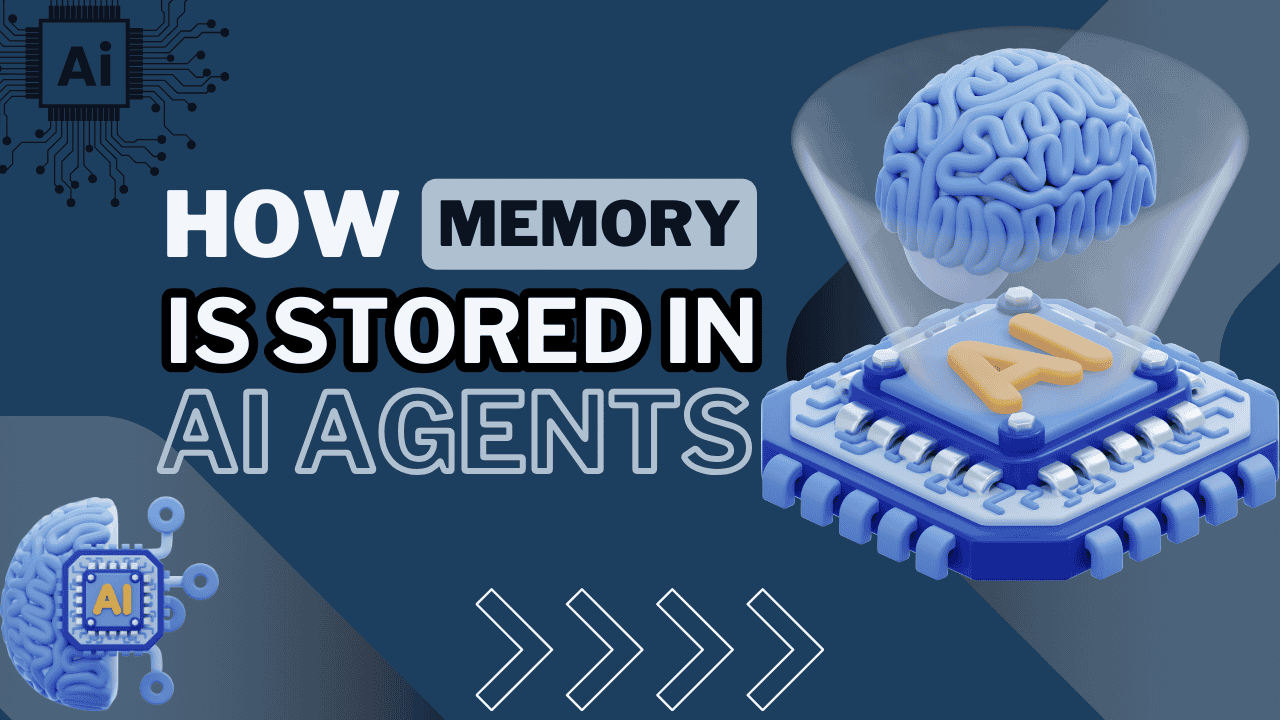
Memory in AI agents transforms basic tools into intelligent systems capable of learning and adapting. At its core, AI memory addresses the limitations of stateless models, where each interaction starts from scratch. By implementing a dedicated memory layer, agents can extract, store, and retrieve key information, leading to more efficient and personalized experiences. This article explores the mechanics of AI memory storage, drawing parallels to human cognition while providing practical examples, analogies, and technical insights.
We’ll break it down step by step: starting with the fundamentals of why memory is crucial, moving into how it’s structured and stored, and delving into specific types with real-world applications.
The Challenge: Stateless AI and the Need for Memory
Picture this: You’re building a virtual assistant for scheduling meetings. Without memory, every time a user says, “Reschedule my 2 PM,” the AI would respond with confusion—”What meeting?” This happens because most AI models, especially LLMs like GPT variants, make stateless API calls. Each request is independent; the model doesn’t inherently “remember” prior exchanges. To simulate continuity, developers bundle the full conversation history into every prompt, but this creates problems:
- Growing data overload: Conversations expand, turning a simple chat into a massive text blob.
- Cost implications: More tokens (units of text) mean higher API fees.
- Context window limits: Models have caps, like 128K tokens for older ones or up to 1M for advanced like Gemini. Exceed it, and early details “fall off,” causing the AI to forget key info.
It’s like reading a book but only seeing the last few pages each time—you lose the plot. The solution? A memory layer, an intermediary system that extracts vital details from interactions and stores them efficiently. This layer sits between your code (e.g., in Node.js or Python) and the AI API, turning stateless calls into stateful experiences.
In practice, when a user introduces themselves (“Hi, I’m Alex from New York”), the memory layer captures just “Name: Alex, Location: New York” instead of the whole message. Next time, even in a fresh chat, the AI pulls this for context without resending history.
How Memory is Stored: The Technical Foundation
Storage in AI agents varies by memory type, but the goal is efficiency—storing compact, retrievable data. Common methods include:
- Buffers for temporary storage: In-memory caches like Redis hold short-lived data.
- Databases for persistence: SQL/NoSQL for structured facts, vector databases (e.g., ChromaDB) for semantic search via embeddings.
- Knowledge graphs: Tools like Neo4j link concepts (e.g., “Python” connected to “AI development”) for relational recall.
Here’s a table comparing storage approaches:
| Storage Type | Best For | Pros | Cons | Example Tool |
|---|---|---|---|---|
| In-Memory Buffer | Short-term sessions | Ultra-fast access | Volatile (lost on restart) | Python lists/dicts |
| Vector Database | Semantic/episodic search | Handles similarity queries | Requires embedding computation | Pinecone or FAISS |
| Graph Database | Relational knowledge | Captures connections | Complex setup | Neo4j |
| Key-Value Store | Factual quick lookups | Simple and scalable | Limited for complex data | Redis |
To implement, developers often use frameworks like LangGraph or Mem0, which automate extraction. For instance, after a chat, an LLM prompt like “Summarize key facts from this conversation” generates storable snippets.
Extending our earlier agent with LTM using a dictionary (simulating a database):
import json  # For persistent storage simulation

class AdvancedAIAgent(SimpleAIAgent):  # Inherits from previous example
    def __init__(self, ltm_file='ltm.json'):
        super().__init__()
        self.ltm = {}  # Long-term memory dictionary
        self.ltm_file = ltm_file
        self.load_ltm()

    def load_ltm(self):
        try:
            with open(self.ltm_file, 'r') as f:
                self.ltm = json.load(f)
        except FileNotFoundError:
            pass

    def save_ltm(self):
        with open(self.ltm_file, 'w') as f:
            json.dump(self.ltm, f)

    def extract_ltm(self, conversation):
        # Simulate extraction (in real: use LLM)
        if "name" in conversation.lower():
            self.ltm['name'] = "Alex"
        self.save_ltm()

    def respond(self, user_input):
        # Use LTM if available
        if 'name' in self.ltm and "who am i" in user_input.lower():
            return f"You are {self.ltm['name']}."
        response = super().respond(user_input)
        self.extract_ltm(user_input + response)  # Extract after response
        return response

# Usage
agent = AdvancedAIAgent()
agent.respond("My name is Alex.")  # Extracts to LTM
print(agent.respond("Who am I?"))  # Uses LTM: You are Alex.
This persists facts across runs, demonstrating robust storage.
Short-Term Memory: The Immediate Workspace
Short-term memory (STM), also called working memory, is like a notepad for the current task—temporary and focused. It holds recent inputs for coherent responses but discards them once the session ends.
Its like Ordering at a fast-food counter. You remember your order number (e.g., 132) until the food arrives, then forget it. No need to recall it weeks later.
Key features:
- Duration: Session-bound (minutes to hours).
- Capacity: Limited by context windows; overflows lead to “forgetting” early details.
- Use cases: Real-time chats, like a support bot recalling your last question.
Example: In a shopping agent, STM tracks your cart items during checkout (“Add burger? Yes, and coffee.”). If you ask for a summary, it pulls from STM without full history. Once paid, it’s cleared.
Pros and cons in a table:
| Aspect | Details |
|---|---|
| Advantages | Fast, low-cost; maintains flow. |
| Limitations | No persistence; resets per session. |
| Implementation | Buffer arrays; e.g., in LangChain’s ConversationBufferMemory. |
Without STM, agents treat each message in isolation, leading to repetitive or incoherent replies.
Long-Term Memory: Building Lasting Intelligence
Long-term memory (LTM) is the AI’s archive, persisting across sessions for personalization and learning. It includes subtypes: factual, episodic, and semantic, each serving unique roles.
- Factual Memory: Stores user-specific facts like name, preferences, or birthday. Always injected into contexts for basics.
- Example: A fitness app remembers “User prefers yoga” for tailored plans.
- Storage: Simple key-value pairs in databases.
- Episodic Memory: Recalls specific events or interactions, like past orders or conversations.
- Example: “Last time you ordered pizza and loved it—want that again?”
- Analogy: Remembering a friend’s bad restaurant experience to avoid suggesting it.
- Retrieved on-demand via vector search to avoid clutter.
- Semantic Memory: General knowledge, untied to users—facts, concepts, rules.
- Example: Knowing “Python is great for AI” to suggest code snippets.
- Storage: Knowledge graphs linking nodes (e.g., “AI” → “Python” → “Libraries like TensorFlow”).
Table of LTM subtypes:
| Subtype | Focus | Retrieval Method | Example |
|---|---|---|---|
| Factual | User facts | Always include | “Birthday: January 1” |
| Episodic | Past events | On-demand search | “Last interview went well” |
| Semantic | General knowledge | Query-based | “Capital of France: Paris” |
LTM makes agents “smarter” over time, but requires smart management to avoid bloat—use decay mechanisms to fade irrelevant data.
Applications
Tools enhance memory implementation. ByteRover, for instance, adds a memory layer to IDEs like Cursor, extracting preferences from code sessions (e.g., “Always use TypeScript in React”). It syncs across devices and teams, creating shared recall.
A team notebook where one developer’s tip (“Use callbacks for events”) benefits everyone, without re-teaching.
Challenges and Best Practices
Memory isn’t perfect. Over-storage leads to high costs or slow responses, while under-storage causes repetition. Best practices:
- Prioritize extraction: Use LLMs to summarize only essentials.
- Balance types: Inject factual always, episodic as needed.
- Security: Encrypt user data; comply with privacy laws.
- Testing: Simulate long chats to check context loss.
Future trends: Advanced RAG (retrieval-augmented generation) integrates memory with external searches for hybrid recall.
In essence, mastering AI memory turns reactive tools into proactive agents. By storing data smartly—via buffers, databases, and graphs—agents achieve human-like continuity, personalization, and efficiency. Whether for chatbots, coding assistants, or beyond, these systems pave the way for truly intelligent AI.
FAQs
What is Memory in AI Agents?
In simple terms, memory in AI agents is like a notebook where the AI jots down important bits from past chats or actions. This helps it remember things without starting from scratch every time. For example, if you tell an AI your favorite food once, it can suggest recipes later without asking again.
Why Do AI Agents Need Memory?
Without memory, AI would forget everything after each interaction, making it frustrating to use—like talking to someone with no recall of previous conversations. Memory lets AI build on what it learns, offering better, more personalized help. Think of it as turning a one-time helper into a long-term friend who knows your preferences.
How is Memory Stored in AI?
AI stores memory in digital spots like temporary buffers for quick stuff or databases for lasting info. Short bits might sit in fast-access memory (like your computer’s RAM), while big, ongoing details go into cloud storage or special vector databases that group similar ideas for easy finding.
Short-Term Memory: Holds recent chat details, but clears out when the session ends.
Long-Term Memory: Keeps facts across many uses, often in structured files or graphs linking related ideas.
What types of long-term memory exist in AI?
There are a few kinds: Factual (basic user details like name or location), Episodic (past events, like what you ordered last time), and Semantic (general knowledge, like facts about the world). Each helps in different ways, with factual being always-on for basics.
How does short-term memory work?
It’s like a sticky note for the current talk—keeps track of what’s happening now, like items in your shopping cart. Once done, it’s usually wiped clean to save space.
Can AI forget things like humans do?
Not exactly; AI can be set to “forget” by deleting data, but it doesn’t naturally fade. A problem called catastrophic forgetting happens when new learning overwrites old info, but techniques like replaying past data help prevent it.
Why is context window important?
This is the AI’s “attention span”—how much it can look at once. If too full, early details drop off, so memory layers summarize to fit more without losing key points.
How do tools like databases help?
They act as filing cabinets: Vector ones search by meaning, graphs connect ideas (e.g., Python links to AI coding), making recall fast and smart.
Is AI memory secure?
It can be, with encryption and user controls, but risks exist if not handled well. Always check privacy settings to manage what gets stored.
What’s the future of AI memory?
Trends point to more brain-like systems, like neuromorphic tech, for better efficiency. It could lead to AI that’s more adaptive, but ethics around data use will be key.
How does AI learn from memory?
By pulling stored info into new tasks, like using past chats to personalize answers. Over time, it gets better at predicting what you need.
Differences between AI agents and simple chatbots?
Agents use memory for actions like booking or coding, while basic bots often reset each time. Memory makes agents feel more alive and useful.
Can users control AI memory?
Yes, many systems let you view, edit, or delete stored info. This builds trust, especially for personal details.